XMPP Clients
This chat plugin relies on the XMPP protocol (also known as Jabber). It is therefore possible to connect to the chats using XMPP client software. This can be useful for example to facilitate moderation operations.
The features described on this page must be enabled and configured by your Peertube instance’s administrators. You may therefore not have access to them.
Prijavi se na svoj Peertube račun
Ova funkcija još nije dostupna i bit će dostupna u jednoj budućoj verziji dodatka.
Povezivanje pomoću eksternog XMPP računa
If this feature is enabled on your instance, you can connect to Peertube chats using any XMPP account.
To get the address of the room you want to join, you can use the “share chat” button that is located above the chat:

By default, the share button is only visible to the owner of the video, and the admins/moderators of the instance. However, admins can decide to display this button for everyone.
Then, choose “Poveži se koristeći XMPP”:
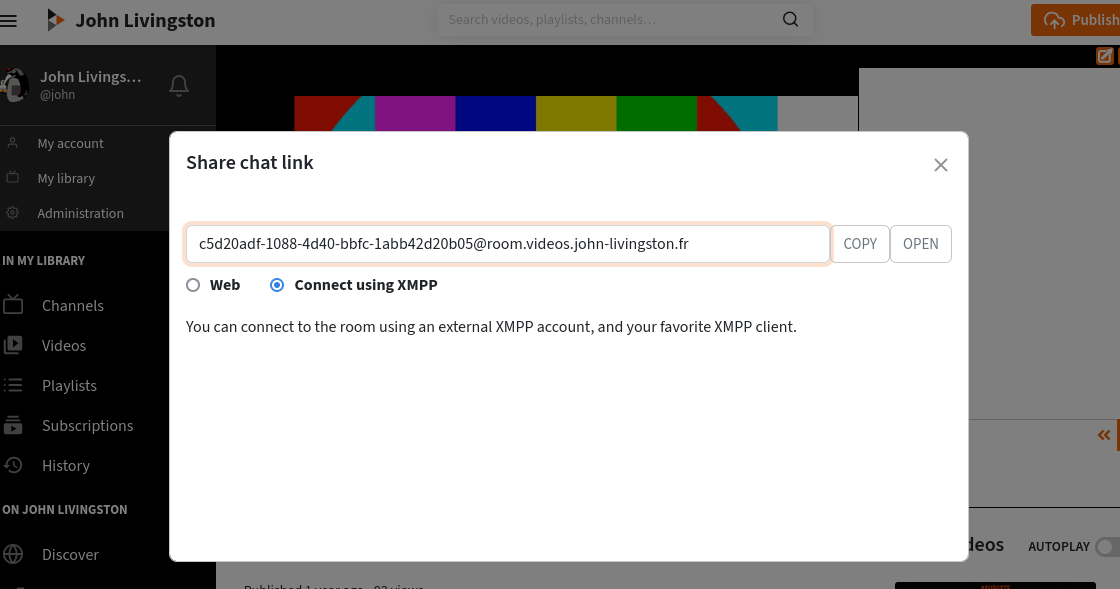
Then you just have to click on “open” or copy/paste the address of the chat room into your XMPP client (using the “join a room” feature).